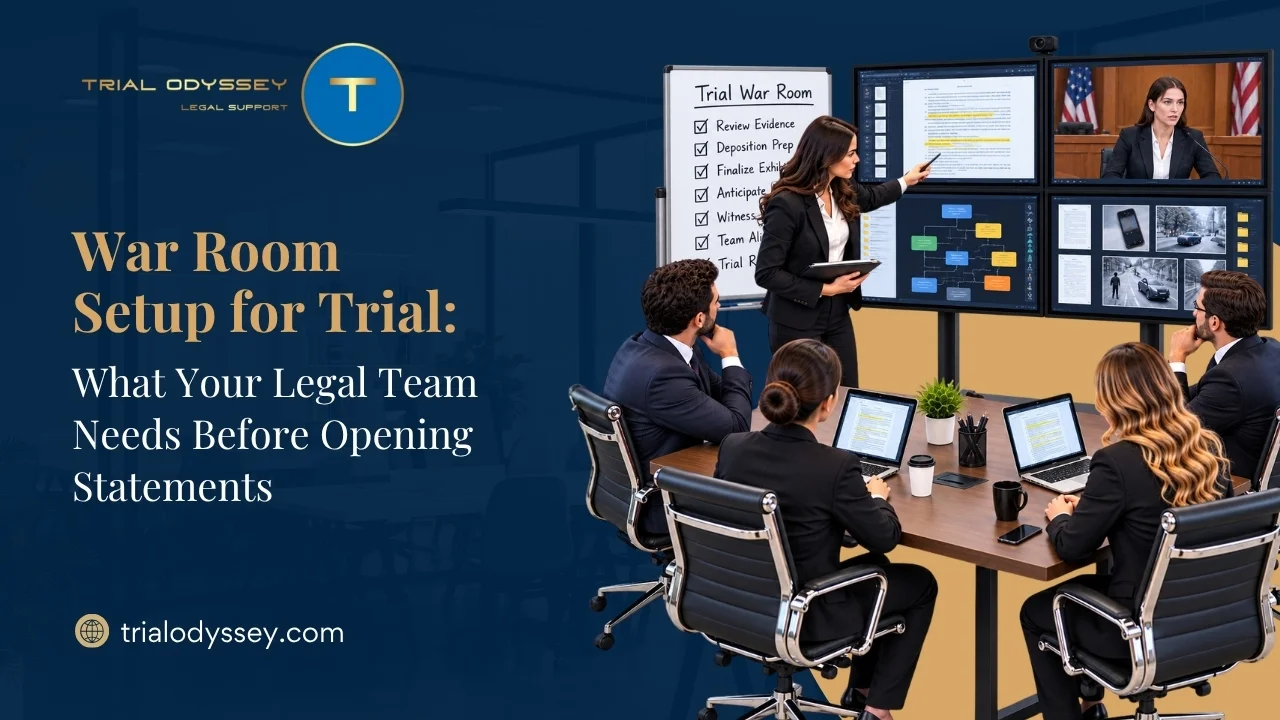
The digital era has fundamentally transformed how trials are conducted across the United States. Today, attorneys no longer rely solely on physical poster boards or heavy binders of paper documents. Instead, modern trials are powered by high-definition display monitors, digital evidence databases, real-time transcription feeds, and remote video deposition streams.
When everything runs smoothly, technology allows a legal team to present a seamless, compelling narrative that keeps jurors engaged. However, relying heavily on digital infrastructure introduces a major point of vulnerability: technical failure. A frozen video link during a critical witness cross-examination, an unplayable multimedia file, or a sudden audio system malfunction can instantly shatter your courtroom momentum and distract the jury.
To protect your client’s interests and preserve your professional reputation, understanding the most common technical issues, and knowing how to deploy professional courtroom technology services to prevent them, is an absolute necessity before your next trial date.
The Hidden Costs of Courtroom Technical Glitches
In high-stakes litigation, a technical glitch is rarely just a minor inconvenience. It directly disrupts the flow of presentation and can impact the admissibility of critical evidence.
Under the Federal Rules of Civil Procedure (FRCP) and corresponding state guidelines, legal teams are expected to manage electronically stored information (ESI) efficiently. Furthermore, under Federal Rule of Evidence (FRE) Rule 1006, summary graphics and charts are highly encouraged to help clarify voluminous records for the jury.
However, if your presentation software crashes or your demonstrative files fail to load due to an incompatible resolution setting, you risk losing the opportunity to display that crucial explanatory evidence during a fleeting window.
Beyond the legal implications, the psychological toll on a trial team is immense. Research into courtroom operations indicates that unexpected technical delays trigger intense anxiety among legal staff and witnesses alike. When an attorney is forced to stop their argument to fiddle with a loose cable or reboot a laptop, the jury notices. These awkward silences break the narrative tension, project a lack of preparation, and give opposing counsel a welcome breather to regroup.
Four Common Technology Failures and How to Avoid Them
By identifying where digital tools routinely break down under pressure, your firm can build proactive safeguards into its pre-trial workflow.
- Hardware Incompatibility and Dongle Disasters
Many state and federal courtrooms feature aging AV infrastructure. A trial attorney might arrive with a cutting-edge laptop that utilizes only USB-C ports, only to discover the counsel table is equipped with a legacy VGA or standard HDMI cable. Without the correct adapter, your digital evidence presentation is effectively dead-on arrival.
- The Prevention: Partnering with a dedicated courtroom technology services provider ensures that a professional technician conducts a physical walkthrough of the venue well in advance. They will catalog every connection port, assess the audio mixer settings, and supply a custom, redundant hardware kit containing every adapter, switcher, and signal booster your team could possibly need.
- Bandwidth Issues During Remote Testimony
Relying on a courthouse’s public Wi-Fi network to stream live video depositions or question a remote witness is an extraordinary risk. If hundreds of spectators, journalists, or court employees connect to the same network simultaneously, your bandwidth will tank. This results in pixelated video feeds, garbled audio, or a complete connection drop mid-testimony.
- The Prevention: Never rely on unmanaged public networks for high-stakes remote appearances. Professional technology teams set up secure, high-speed corporate cellular hotspots or coordinate with the court’s internal IT department to secure a dedicated, hardwired internet line reserved strictly for your trial presentation hardware.
- Incompatible Video Codecs and Corrupted Playbacks
Law firms handle video files from dozens of differing sources, including surveillance cameras, bodycams, dashboard recordings, and smartphone clips. Many of these files use proprietary software formats or obscure compression codecs. If you attempt to play a raw video file directly through a standard media player without pre-testing it, the software may display a black screen or fail to sync the audio track properly.
- The Prevention: Implement a strict preprocessing protocol. Every multimedia exhibit should be analyzed and converted into a universally stable container format (such as standard MP4 with H.264 video encoding) weeks before trial. Running a comprehensive dry-run of all media clips inside your offsite war room is critical to ensure seamless playback.
- Sudden Operating System Updates and Push Notifications
Imagine displaying a critical contract clause on the big screen for the jury, only for a giant pop-up notification regarding an internal email to flash across the monitor. Worse yet, an automated operating system update could trigger a forced, fifteen-minute computer reboot right in the middle of your opening statement.
- The Prevention: Dedicate your presentation laptops exclusively to trial operations. Turn off all automatic software and security updates, completely deactivate Bluetooth and Wi-Fi cards (unless actively required), and strip away non-essential communication applications like Slack, Teams, or Outlook to keep your display completely clean.
The Strategic Advantage of a Hot-Seat Operator
The absolute best way to insulate your firm from unexpected hardware or software failures is to stop treating technology management as a secondary task for your paralegals or junior associates. An attorney cannot effectively watch a witness’s body language or gauge a juror’s facial expressions if their attention is split by operating presentation software.
Retaining expert courtroom technology services provides your team with a dedicated “hot-seat operator.” These specialists are elite trial technicians who sit at the technical console in the courtroom trenches.
When you say, “Please bring up Exhibit 42,” the operator displays the document instantly, highlights the key paragraph, zooms in on a contested signature, and can immediately place a conflicting deposition transcript side-by-side on the screen. If a hardware cable shorts out or a software license glitches, the operator resolves the issue silently in the background, allowing the lead trial counsel to maintain absolute command of the room.
Conclusion
Courtroom victories are built on a foundation of bulletproof legal arguments and rigorous discovery, but they are won or lost on execution. Allowing preventable technology failures to derail your narrative is an unacceptable risk in modern litigation. By implementing strict pre-trial testing protocols and leveraging professional courtroom technology services, your law firm can eliminate operational anxiety. This investment ensures your presentation remains flawless, your evidence hits with maximum impact, and your trial team can focus entirely on delivering a winning verdict.
FAQs
Q1. What do courtroom technology services include for a litigation team?
Comprehensive courtroom technology services provide end-to-end technical support for modern trials. This includes conducting pre-trial venue audits, setting up secure offsite war rooms, managing digital exhibit databases, formatting multimedia and video deposition files, and providing an onsite hot-seat operator to manage the active presentation hardware flawlessly during live court proceedings.
Q2. How do local court rules affect the use of digital evidence systems?
Every jurisdiction, whether a federal district court or a local county venue, enforces distinct guidelines regarding digital evidence formatting, exhibit labeling, and equipment integration. Many judges issue custom standing orders dictating exactly when digital exhibit lists must be exchanged and how technology must be configured, making an advanced technical walkthrough with a professional consultant vital for compliance.
Q3. Why should a law firm not rely on a courthouse’s built-in technology?
While many modern courthouses offer built-in monitors or projection systems, the quality, age, and reliability of this equipment vary wildly from room to room. Relying entirely on court-provided infrastructure without independent verification often leads to connectivity issues, lack of redundant backups, and limited formatting options, which can compromise the visual impact of your evidence.