The Moment When Disorganization Becomes Visible
It happens in every courtroom, more often than it should.
An attorney is mid-examination, ready to introduce a key document, and the moment stalls. The exhibit is not in the right binder. The digital file is not loading. The exhibit number in the attorney’s notes does not match the list the clerk has. The consulting jury watches. Opposing counsel watches. The judge waits.
Common Trial Exhibit Problems
Whatever the argument was building toward loses its momentum. The preparation that went into that examination did not account for the thirty seconds it took to find the document, and thirty seconds in a courtroom is a long time.
Trial exhibit management is not a clerical function. It is a strategic one. The way exhibits are organized, labeled, and accessed determines whether the case flows or stalls, and whether the jury experiences a confident, coherent presentation or a disjointed one.
What Trial Exhibit Management Actually Involves
The term sounds administrative. In practice it covers a series of decisions that run from early case preparation all the way through closing argument.
It starts with building a master exhibit list. Every potential exhibit gets a unique identifier, a description, and a status. At this stage the list is working. It evolves as discovery produces new materials, as depositions identify documents worth highlighting, and as the case theory sharpens. By the time trial begins, the master list is the authoritative record of what is coming in, what has been stipulated, what is expected to be objected to, and in what order each exhibit is likely to appear.
The Master List Becomes the Trial Roadmap
From the master list, the physical and digital organization flows. Physical binders are structured to match the order exhibits will be used, not the order they were produced in discovery. A witness examination binder for a key corporate officer looks different from the damages exhibit binder. They serve different moments in the trial and need to be organized accordingly.
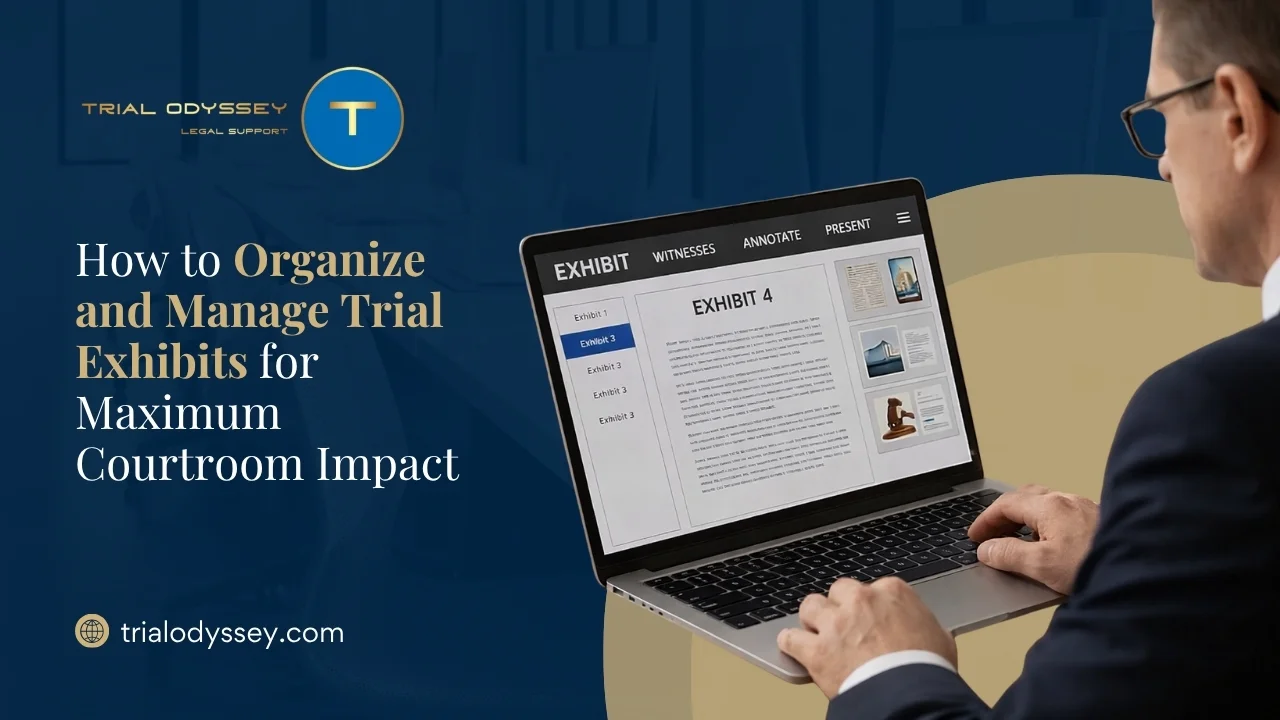
Digital exhibit management runs in parallel. Tools like TrialDirector 360 and OnCue allow exhibits to be tagged, organized by witness or theme, annotated, and called up instantly during testimony. A 2024 study noted that technology-trained legal teams were 40 percent less likely to encounter exhibit delays caused by technical issues. The software is only as useful as the organization behind it.
The Numbering System and Why It Matters More Than People Expect
Courts have their own requirements. In federal civil proceedings, plaintiffs typically use one range of numbers and defendants another. Some jurisdictions use letters for certain categories. Demonstrative exhibits are often treated separately from substantive evidence and marked accordingly.
Rule 107 and Demonstrative Exhibits
Under the December 2024 amendments to the Federal Rules of Evidence, the introduction of Rule 107 drew a clearer line between illustrative aids and substantive demonstrative exhibits. Rule 107(b) specifically prohibits illustrative aids from going to the jury room unless all parties consent or the court orders otherwise. A numbering system that does not distinguish between the two categories creates the kind of confusion at admission that slows the trial and invites objections.
The numbering system needs to be established early, communicated to the entire trial team, and used consistently across every version of every document. An exhibit that is Plaintiff’s Exhibit 47 in the binder and P-47 in the digital system and just “the February email” in the attorney’s notes is an exhibit waiting to cause confusion at the worst possible moment.
Exhibit Lists Must Match Across All Systems
Consistency also matters for the opposing side and the court. Under most local rules, exhibit lists are exchanged before trial. If the numbering changes between the exchanged list and what is used at trial, it creates objections, delays, and the kind of procedural friction that courts notice and juries sense even when they cannot name it.
The Physical and Digital Balance
Physical Organization
Physical binders remain the anchor of trial exhibit management for most legal teams. They do not crash. They do not require a network connection. They can be annotated in the moment. A well-built exhibit binder with clear tabbing, a table of contents, and color-coded sections gives an attorney the ability to move through material quickly under pressure, without looking like they are searching.
The structure should follow the trial, not the file room. An opening statement binder contains what the attorney needs for opening. A witness binder for each significant witness contains the exhibits likely to be used during that testimony, in the order they will come up, with cross-reference tabs for anything that might appear unexpectedly. A separate binder for admitted exhibits, updated during trial, gives the team a real-time record of what is in evidence.
Multiple copies are not optional. The judge needs a set. Opposing counsel needs a set. The court reporter benefits from one. Backup copies should be available in case something goes wrong mid-trial.
Digital Organization
The digital system needs to mirror the physical organization, not replace it. File naming conventions matter. A document named “scan001.pdf” is not useful at trial. A document named “P047_Feb2023_Email_Johnson_to_Reyes.pdf” is immediately identifiable without opening it.
Compatibility testing before trial day is not optional. The courtroom’s AV system, the connection between the presentation laptop and the display monitors, the file formats being used: all of these need to be verified in the actual courtroom environment, not just in the war room. A file that displays perfectly on the team’s own equipment and fails to render on the courtroom monitor is a problem that should have been found during setup, not during testimony.
Backup copies in multiple locations, including offline storage, eliminate the scenario where a network failure at the wrong moment creates a gap in the presentation.
Managing Objections Before They Happen
Part of exhibit management is anticipating the legal challenges to exhibits before they arise.
Authentication is the most common basis for objection. Every exhibit needs a clear plan for how it gets authenticated, whether through witness testimony, stipulation, or self-authentication under the applicable rules. That plan should be documented alongside the exhibit in the management system.
Preparing for Relevance and Prejudice Challenges
Relevance and prejudice objections can often be addressed through pre-trial motions in limine. Exhibits that are likely to be contested should be flagged early so the team can prepare the argument for their admission rather than improvising a response on the fly.
Demonstrative exhibits have their own foundation requirements separate from substantive evidence. Under Federal Rule of Evidence 107, effective December 1, 2024, illustrative aids are expressly governed by a balancing test requiring that their utility in assisting comprehension not be substantially outweighed by the danger of unfair prejudice, confusion, or waste of time. Knowing in advance which exhibits are going in as evidence and which are being used as illustrative aids shapes how they are prepared, labeled, and introduced, and whether they need to be kept out of the jury room during deliberations under Rule 107(b).
The Team Coordination Piece
Exhibit management breaks down when it is treated as one person’s responsibility without proper communication to the rest of the team.
Everyone handling exhibits during trial needs to know the numbering system, the physical location of each binder, and the digital organization. Mock presentations before trial, running through the exhibit introduction sequence in real time, reveal gaps in coordination that are far better found in the war room than in the courtroom.
Mock Trial Runs Reveal Weaknesses
Roles need to be clearly defined. Who manages the binders during testimony? Who operates the presentation software? Who tracks which exhibits have been admitted and updates the record? Who handles the unexpected, when a witness references a document that was not on the planned list for that examination?
Trial Odyssey manages exhibit organization and trial support for teams at every stage of preparation, from building the master exhibit list and producing the physical binders to managing digital presentation and providing hot-seat operators during trial. The exhibit system that works is the one that was built deliberately, tested in advance, and managed by people who understand what the courtroom demands.
What Happens When It Goes Right
When exhibit management is done well, it is invisible.
The attorney calls for an exhibit and it appears. The jury sees it without waiting. The witness can speak to it without the examination losing its rhythm. The judge does not have to ask where something is. Opposing counsel has the same document in their set and the introduction is smooth.
Services Provided by Trial Odyssey
That invisibility is the goal. Jurors do not notice when exhibits flow seamlessly. They notice when they do not. A trial team that moves through its evidence with confidence and precision is communicating something beyond the content of the exhibits themselves. It is communicating that they are prepared, organized, and in control of their case.
That impression is earned in preparation. Trial Odyssey helps trial teams build and execute exhibit systems that hold up under the pressure of actual proceedings, so the work done before trial pays off when it matters most.